STOP wasting RAM! Modern Linux under 1Gb. Cosmalia / Labctalia

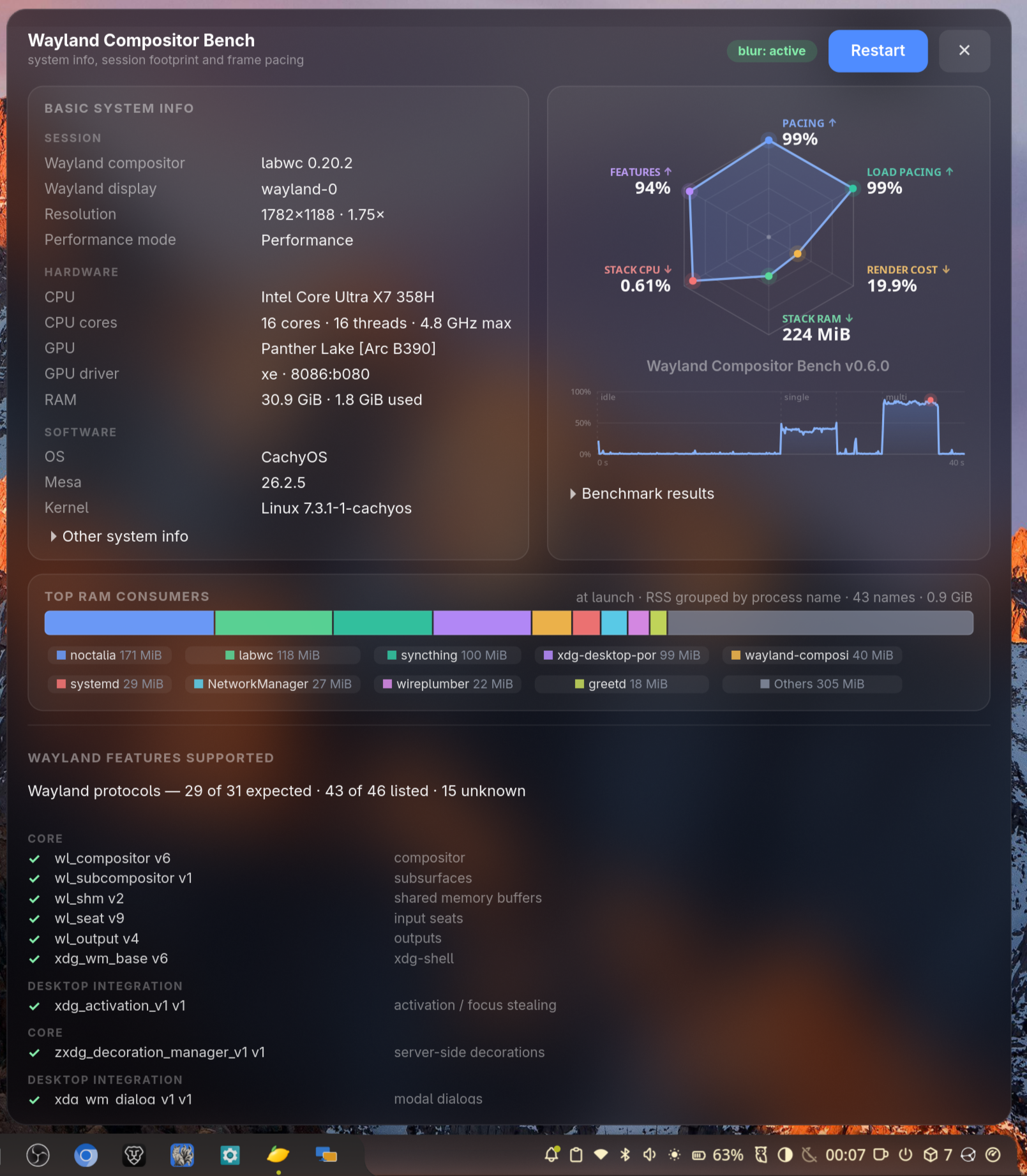
Modern Linux desktops are often heavy, many services run by default, even when you don’t need them. Older “nostalgic” Linux distributions are no longer a practical solution.
Wayland can feel confusing at first, but it’s a genuine improvement over the legacy
X11/Xorg stack.
Why consider alternative compositors?
- LabWC, cosmic‑comp, and Noctalia give you a lightweight, highly
customisable desktop. - They are far less memory‑hungry than GNOME while still offering a polished user
experience.
They run comfortably on older machines with a few gigabytes of RAM, and they also free
up RAM on powerful systems that might need it for AI/LLM workloads or modern web
browsing.
- Unused RAM isn’t a waste, it’s freedom and longevity for future workloads.
What are Labctalia / Cosmalia desktops?
These are custom XDG sessions that minimize the number of services running in the
background.
A full desktop loaded into RAM can stay under 1 GB.
| Component | Description |
|---|---|
| Wayland compositor | LabWC or cosmic‑comp |
| Dock | Noctalia (also handles notifications, network widgets, etc.) |
| Secrets manager | gnome-keyring – stores passwords for browsers and apps |
| XDG portal | Needed for screen recording or sharing |
| Polkit | Handles GUI administration privileges |
- GitHub: https://github.com/grigio/cosmalia-session
- GitHub: https://github.com/grigio/labctalia-session
Both desktops use roughly the same amount of RAM (~0.9 GB).
- LabWC is the more stable choice.
- cosmic‑comp offers Wayland blur, transparency, and built‑in animations (e.g.,
minimize/maximize), though it currently struggles with XDG portal/OBS screen recording.
Make Linux minimal and modular AGAIN!!
PS: with wayland-compositor-bench you can optimize your current Wayland session https://github.com/grigio/wayland-compositor-bench