Sonia - Local Voice Assistant in less than 13Gb RAM, NO Dedicated GPU, Skills/Tool-calling supported

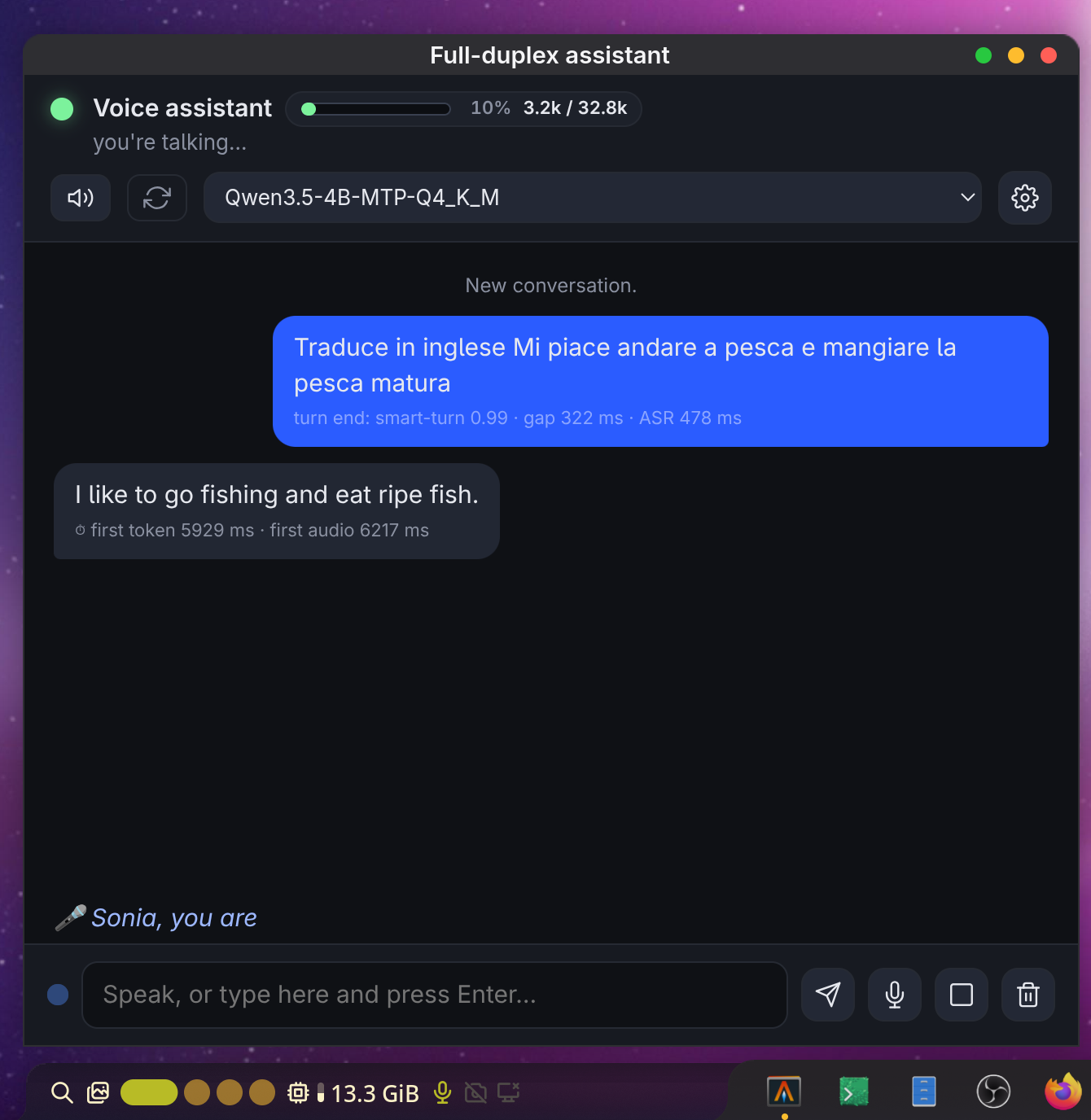
Most voice assistants still feel like talking to a vending machine. You press a button, speak into the void, wait, then get a monologue you did not ask for. Sonia tries something different. It is an LLM voice assistant that runs entirely on your machine, keeps the microphone open while it talks, and lets you cut it off mid-sentence. The whole thing works without a dedicated GPU and stays under 15 GB of RAM.
I spent some time reading through the project docs, and a few design decisions stood out as genuinely interesting choices rather than the usual feature checklist.
Full duplex is the real headline
The headline feature is simple to state and hard to build: the mic never closes. While Sonia is speaking, it is still listening. Interrupt it and it reacts. Say something that sounds like echo or a backchannel (an "mhm", a faint repeat of its own words) and it keeps going. Say something real and it stops, cancels the rest of the reply, and still keeps what it already said in the conversation history.
That distinction between echo and real interruption is one of those details you only notice when it is missing. The system tightens its voice activity detection while speaking, then needs roughly three real words before it treats the interruption as intentional. It is a small rule, but it is what keeps the assistant from constantly derailing itself on room noise.
How it decides when you are done talking
Turn detection is where most conversational systems quietly fall apart, and Sonia uses a layered approach worth appreciating.
Microphone audio arrives in 32 ms frames. In-process Silero VAD does the cheap first pass. When speech stops, the harness waits a short pause and then asks a Smart Turn classifier whether the utterance really ended. If the pause is longer and the classifier says the speaker might still be thinking, a tiny 4-token LLM prompt (LISTEN or REPLY) gets the final word.
Four mechanisms stacked on top of each other sounds like overkill until you have used a system that either cuts you off mid-thought or sits there awkwardly after you have clearly finished. Ambiguous pauses are exactly where single-method systems fail, and Sonia treats that ambiguity as a first-class problem.
A tool gate that keeps a small model honest
Sonia supports function-calling tools: timers, watches, notes, time queries, skills, and shell commands. The interesting part is not the tool list itself, but the tool gate sitting in front of it.
Each round of proposed tool calls is re-checked by a cheap judge model against what the user actually said. The main model here is a 4B quant, and small models are exactly the ones that invent plausible-looking calls on vague follow-ups. "Do you know what time it is?" should not turn into a surprise shell command. The gate catches that.
It is a modest architectural addition with a real payoff: you get the latency and memory benefits of a small local model without inheriting every hallucinated tool call it produces.
Skills you already own
Sonia does not ship its own skill ecosystem. Instead, it points SKILLS_DIR at a directory of SKILL.md packages and reads whatever is there. That directory can be the one used by the pi coding agent, the one used by opencode, or any other layout with <name>/SKILL.md.
Skills are activated per session from the UI settings drawer rather than baked into environment config, and inactive skills never reach the prompt. This is a quiet but smart decision. Rather than inventing yet another plugin format, Sonia treats existing agent skills as portable instructions. If you have already curated a skills folder for a coding agent, your voice assistant can use the same one.
The docs are honest about the security tradeoff, too: skill directories are trusted by default, so reviewing what a skill actually runs is on you.
Timers, watches, and the banner
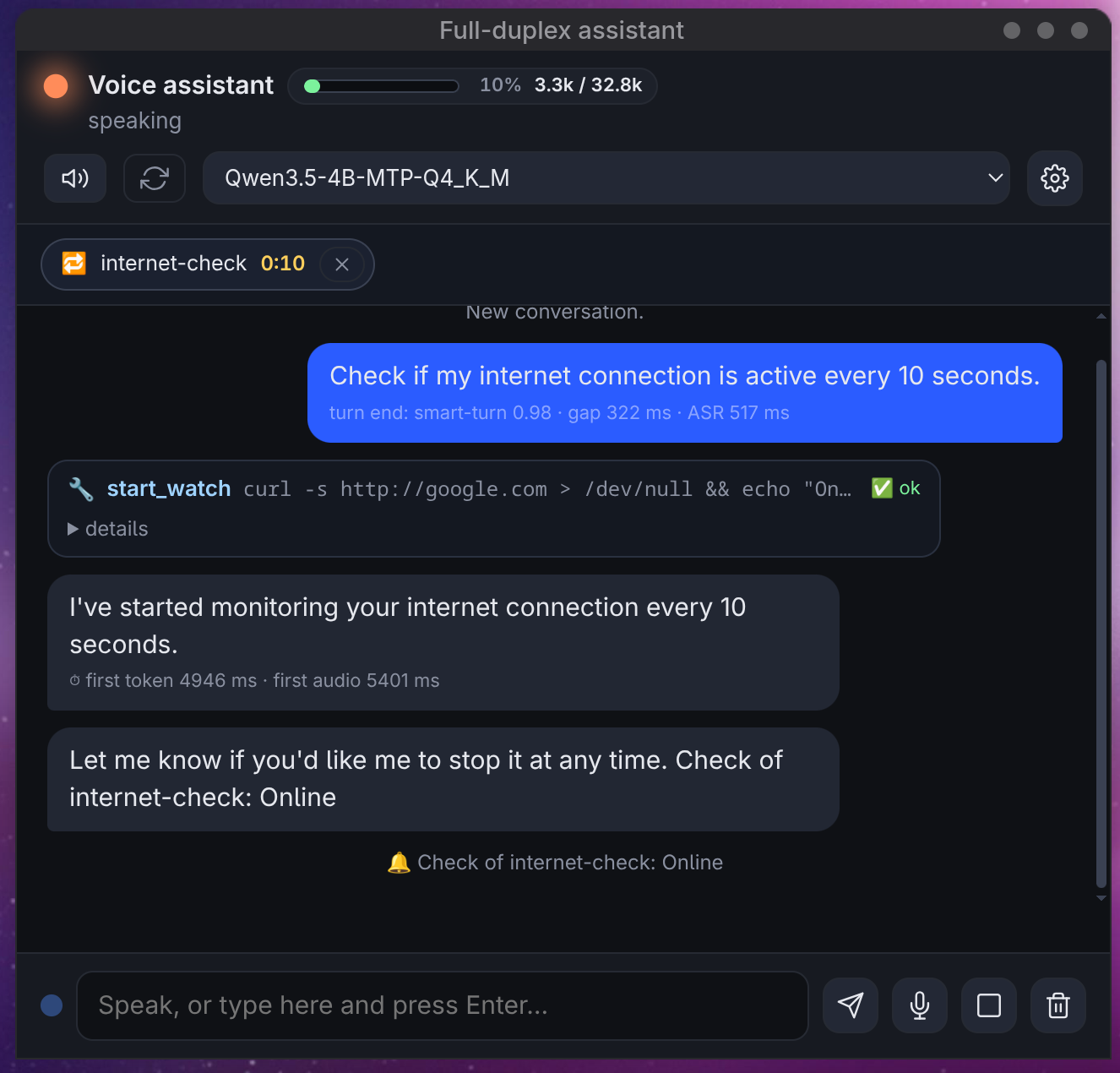
Ask Sonia to set a timer or start a watch, and a banner appears above the chat listing every pending task with its own countdown and a small close button. Closing one silences that ring, kills that process group, or ends that loop, without touching anything else.
Watches are the more interesting of the two. A watch repeats a read-only command on an interval, minimum five seconds. Without a match condition it reports the value every time: "check the battery every half hour." With a match condition, it stays quiet until the output starts containing the text you care about, then speaks once: "tell me when the download is finished."
That is a small feature, but it turns a passive chat window into something that can actually monitor background work while you talk about something else.
Rewind without nuking the chat
Every conversation line has a rewind button on hover. Click it and everything after that line disappears: later turns, their context in the transcript, and the model history on both LLM legs. The clicked line itself never gets dropped, even if it is an unanswered question of yours.
Pending timers and watches survive a rewind, same as they survive a full chat wipe. The system also refuses to rewind to a checkpoint that no longer exists instead of cutting at a wrong index. These are the sorts of edge cases that separate a demo from something you can trust with a long session.
The conversation outlives the process
Transcript, model history, and checkpoint ids are written to data/chat.json as they change. Restart Sonia and it picks up exactly where it stopped, rewind positions included. Set CHAT_PERSIST=0 if you prefer the old start-empty behavior.
Local persistence of full conversation state is one of those features that feels unremarkable until you lose an hour of context to a crash.
Architecture: one hub, four models, no cloud
The structural core is a single TypeScript hub process. It owns the 32 ms frame loop, the audio queues, the barge-in state machine, and the conversation state. Around it sit four model services:
- Silero VAD runs in-process via ONNX (2.3 MB, CPU).
- Streaming ASR is a Voxtral Mini 4B model served by audio.cpp on port 8091, happy on an iGPU via Vulkan.
- Text-to-speech is Pocket TTS in another audio.cpp process on 8092, CPU only.
- Smart Turn runs in a third audio.cpp process on 8093, also CPU.
- The main LLM is an external llama-server on 8080, quantized Qwen3.5-4B, running wherever you already run it.
The hub talks to clients through a dual-mode LLM leg. By default it is an OpenAI-compatible HTTP endpoint. Optionally, and experimentally, it can spawn an existing pi executable instead, toggled at runtime from the UI. Two very different backends behind one interface.
TTS output streams as SSE PCM16 into a player that feeds 20 ms slices to the speaker. When you interrupt, the pipeline pauses, resumes, or flushes within roughly one buffer. That tight barge-in loop is only possible because everything between mic and speaker lives in one process with one frame clock.
The UI is a single vanilla HTML file served over WebSocket, with JSON events and binary PCM in both directions. No framework, no build step for the frontend. The entire runtime is about 6.5k lines of TypeScript on Bun.
Why they compile audio.cpp from source
One README section caught my eye more than most feature lists: a detailed explanation of why Sonia fetches and compiles audio.cpp rather than using the official prebuilt binaries.
Upstream builds ship with -march=native on AVX-512 CI runners, which bakes AVX-512 instructions into CPU init code. On modern Intel chips without AVX-512, the process dies with SIGILL right after Vulkan init, even when you select the CPU backend, because the CPU backend is always registered. The Sonia team verified this with gdb, down to the exact offending instruction, and explained why it is not a Mesa or driver problem.
The workaround is a local incremental build, where -march=native means whatever your machine actually supports. They also note the fix to revisit upstream: baseline-ISA binaries or multi-variant CPU builds would let users point at the downloaded release and skip the 1.2 GB clone.
Technical READMEs that do this kind of forensic debugging writeup are rarer than they should be.
Security posture is localhost, and they say so plainly
There is no login and no TLS. The design assumes loopback only. The WebSocket control channel refuses connections from any origin other than the server itself, because browsers do not apply same-origin policy to WebSockets and any page you visit could otherwise open a socket to localhost and read your transcript. Opening a second window takes over the single client slot and tells the first window rather than leaving it silently dead.
Shell commands run as your user with no sandbox. Read-only commands are classified as safe; shell metacharacters and sensitive paths like .ssh or .env always stop at an approval prompt in ask mode. CMD_MODE is off, ask, or auto, and you choose the tradeoff.
The takeaway
Sonia is not trying to be a product. It is a well-argued position paper you can run: local models, one TypeScript process owning the real-time loop, skills reused from other agent harnesses, and careful attention to the unglamorous problems of voice interfaces, namely turn-taking, interruption, and session continuity.
The full-duplex conversation and the layered turn detection are the parts I would steal for almost any voice project. The tool gate is the part I would steal for almost any small-model agent. And the compile-from-source explanation is the part I wish more hardware-adjacent projects bothered to write down.