kanshi-gtk4 the UI to manage displays configuration on LabWC or Niri

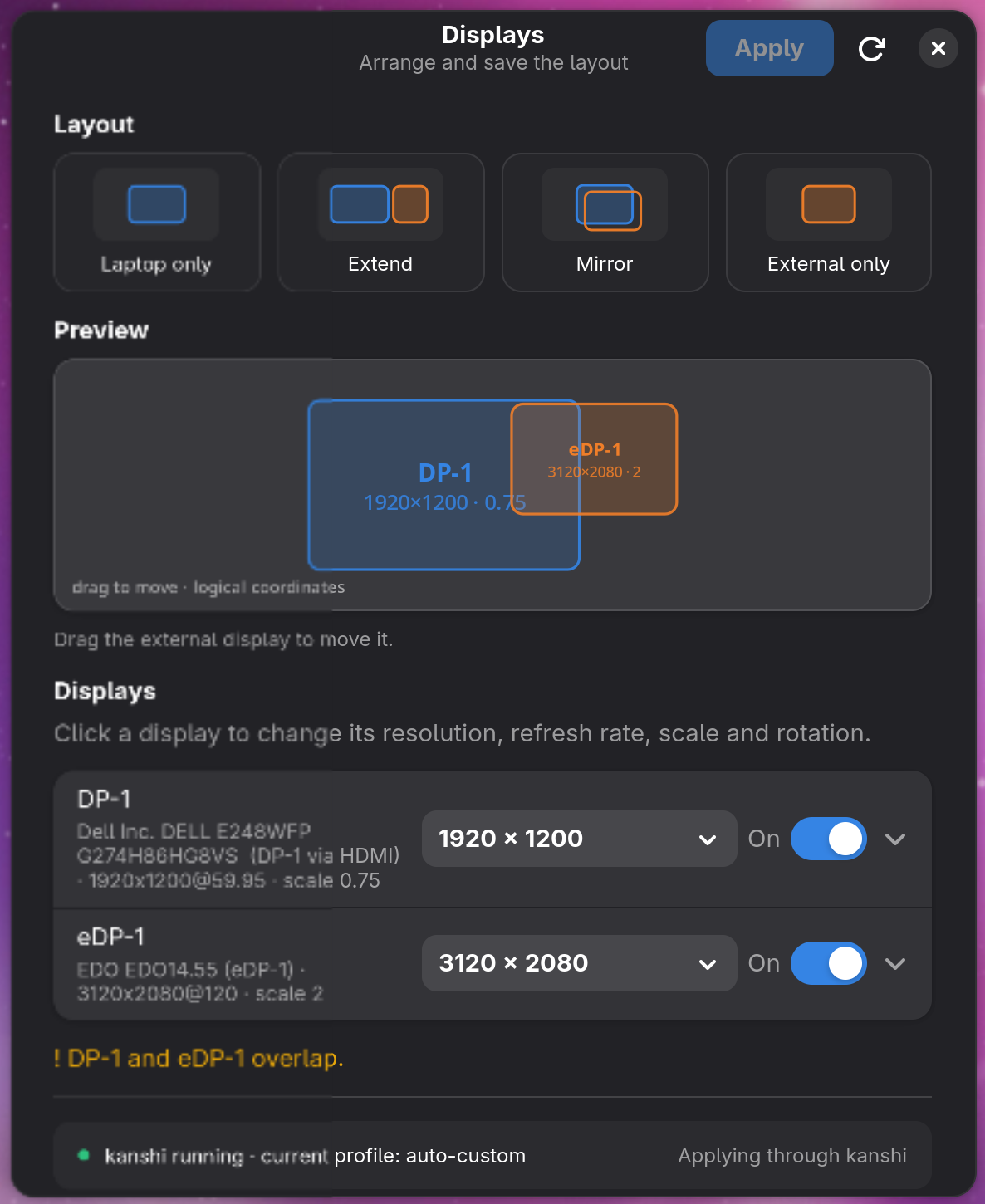
If you use a Wayland compositor like labwc or niri, you've likely dealt with the
headache of managing multiple monitors. Switching from a single laptop screen to an
external monitor often means manually fixing resolutions, scaling, and positions.
kanshi-gtk4 is a lightweight GTK4 / libadwaita app that handles these layouts
through a graphical interface.
What is kanshi-gtk4?
The app provides a simple way to manage display layouts on Wayland. You can pick from
presets like Laptop only, Extend, Mirror, or External only with one
click.
Beyond presets, you can adjust resolution, refresh rate, scale, rotation, and adaptive
sync for each output. It includes a live, to-scale preview where you can drag external
displays to set their positions.
A key safety feature is the 10-second countdown after applying a layout. If the new
setup doesn't work—for instance, if your screen goes black—you can hit Revert or
just wait for the timer to end. The app uses a detached watchdog process to restore your
previous layout even if the main application crashes.
The Building Blocks: kanshi and wlr-randr
The app works by interacting with two existing tools:
kanshi
kanshi is a daemon that manages display profiles. It automatically applies
configurations when it detects specific hardware combinations, such as when you plug in
a certain monitor. Usually, this requires editing text files; kanshi-gtk4 automates
this by writing the necessary blocks directly to your ~/.config/kanshi/config.
wlr-randr
wlr-randr is a command-line utility that queries and changes output settings in
Wayland compositors supporting the wlr-output-management protocol. It acts much like
the xrandr tool did for X11. kanshi-gtk4 uses it to apply your changes in real
time.
For users of compositors like labwc or niri, kanshi-gtk4 provides a way to
manage complex multi-monitor setups without constant manual configuration.
Check out the project on GitHub:
grigio/kanshi-gtk4