Is Modern Linux Without Systemd Really Possible? Artix / Dinit / Labwc / Noctalia

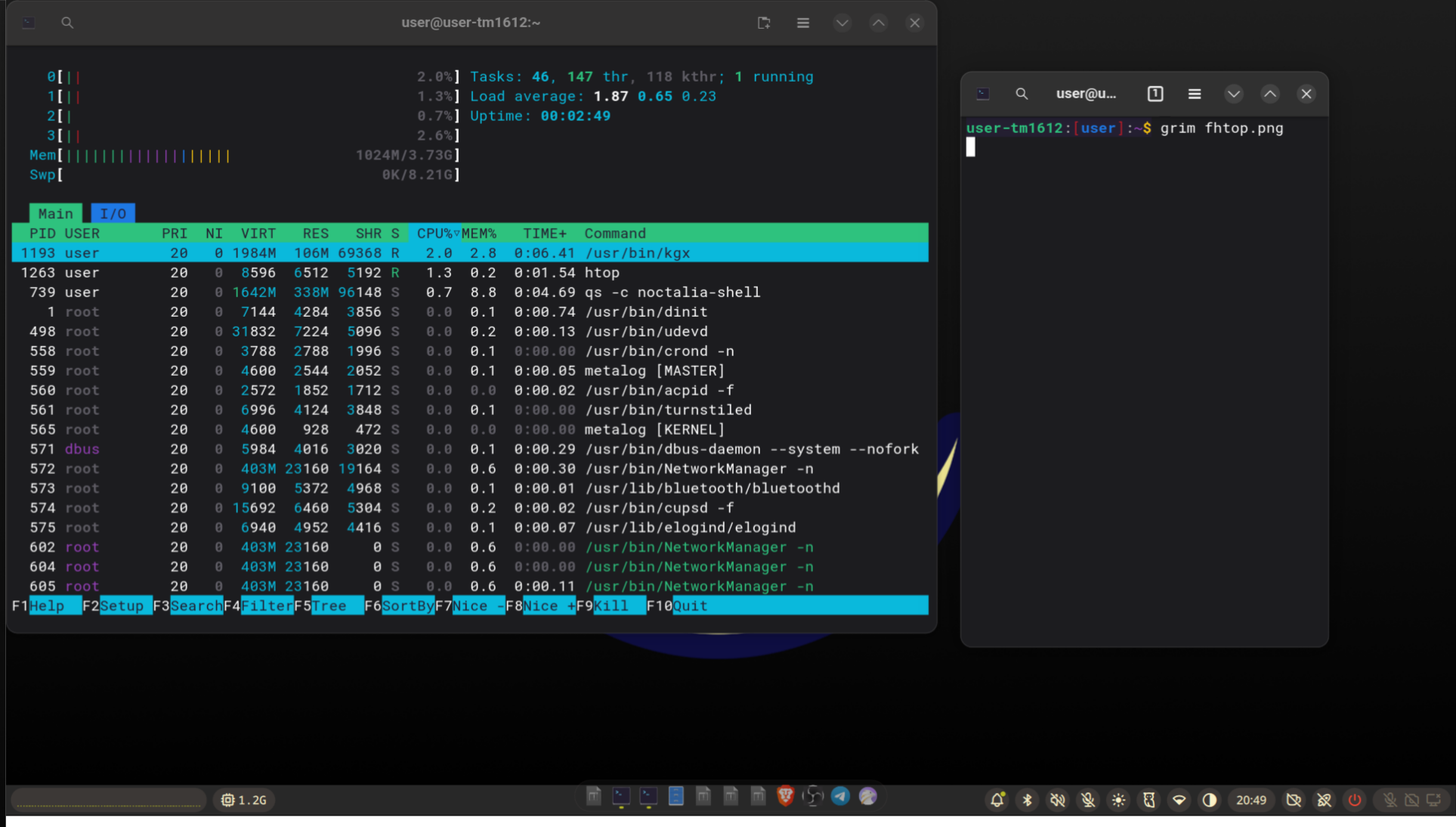
Systemd standardized how to run processes on Linux, both for system and user. It's good to not reinvent the wheel over and over, but systemd does a lot more things. It's basically an endless scope project, and the latest addition is a field to allow age verification of accounts in the system.
Now it's just an innocent birthDate field, but it could set a precedent to create mass surveillance computing. This is the reality where states like California and Brazil started to ask for age verification at the OS level. It isn't a sci-fi movie.
What to Do?
- Linux corporations will probably comply or ban users from those jurisdictions. Not GrapheneOS, Devuan, or OpenMandriva though.
- Linux nostalgic users will probably ban systemd and Wayland, moving toward Xlibre.
- Linux privacy users — honestly, I don't know. Some proposed to fork systemd or pick a minority Linux distro that already doesn't use systemd: Chimera Linux, Artix Linux, Void Linux, Alpine Linux, Devuan.
What Could Go Wrong with Alternative Non-Systemd Linux Distros?
You trade a problem that you know, age verification, with others that you don't know.
MUSL vs GLIBC
Chimera Linux and Alpine Linux use MUSL instead of GLIBC, so expect incompatibilities with software. Just a taste: Chromium has issues on Alpine.
Ok, No Systemd, So What Do You Use Instead?
There are many alternatives. I like dinit because it's similar to systemd syntax and manages user and system processes.
What About GNOME, KDE?
No. GNOME 50 and beyond has a strict dependency on systemd, but you can still use GNOME apps in other Wayland environments. KDE should still work but will probably follow GNOME's path.
Luckily, there are also great systemd-free alternative desktops for Wayland: labwc, Hyprland, Niri...
Conclusion
It isn't as easy as it seems, but my stack Labwc, Noctalia Shell, Ly DM works great on Artix Linux too! Following some hacks..
Fix Turnstile D-Bus User Session on Artix Linux
Problem
dinitctl --user status dbus
dinitctl: service not loaded.
Flatpak apps fail with:
Settings portal not found: Failed to execute child process "dbus-launch"
Solution
1. Ensure turnstile is installed and enabled
sudo pacman -S turnstile turnstile-dinit
sudo dinitctl enable turnstiled
sudo dinitctl restart turnstiled
2. Verify system dbus is running
sudo dinitctl status dbus
3. Start user dbus session on login
Add to ~/.config/labwc/autostart (or your WM's autostart):
# Start user dbus session
if [ ! -S "/run/user/1000/bus" ]; then
    /usr/bin/dbus-daemon --session --fork --nopidfile --address=unix:path=/run/user/1000/bus
fi
export DBUS_SESSION_BUS_ADDRESS=unix:path=/run/user/1000/bus
4. Logout and login again
5. Verify
echo $DBUS_SESSION_BUS_ADDRESS
# Should show: unix:path=/run/user/1000/bus

ls -la /run/user/1000/bus
# Should show: srwxrwxrwx socket
Pipewire and Screen Capture
Install required packages
sudo pacman -S pipewire wireplumber xdg-desktop-portal-wlr
Create user services for pipewire
mkdir -p ~/.config/dinit.d

cat > ~/.config/dinit.d/pipewire << 'EOF'
type = process
command = /usr/bin/pipewire
EOF

cat > ~/.config/dinit.d/wireplumber << 'EOF'
type = process
command = /usr/bin/wireplumber
EOF

chmod +x ~/.config/dinit.d/pipewire ~/.config/dinit.d/wireplumber
Start pipewire services
dinitctl --user start pipewire
dinitctl --user start wireplumber
Add portals to autostart
Add to ~/.config/labwc/autostart:
# xdg-desktop-portal
/usr/lib/xdg-desktop-portal &
/usr/lib/xdg-desktop-portal-wlr &
Troubleshooting
Apps hang or don't respond
If apps freeze, restart dbus:
pkill dbus-daemon
/usr/bin/dbus-daemon --session --fork --nopidfile --address=unix:path=/run/user/1000/bus
Document portal errors
If you see Can't mount path /run/user/1000/doc, ensure flatpak portal is running:
ls /run/user/1000/doc
# Should show: dr-x------ 2 user user  0  date  by-app
Screen capture fails
If screen share shows No such interface "org.freedesktop.portal.ScreenCast":
- Kill all portal instances:
killall xdg-desktop-portal xdg-desktop-portal-gtk xdg-desktop-portal-wlr xdg-document-portal flatpak-portal
- Restart dbus:
pkill dbus-daemon
/usr/bin/dbus-daemon --session --fork --nopidfile --address=unix:path=/run/user/1000/bus
- Restart portals:
/usr/lib/xdg-desktop-portal &
/usr/lib/xdg-desktop-portal-wlr &
Multiple portal instances
If portals have multiple instances running, kill them all and restart fresh:
killall xdg-desktop-portal* xdg-document-portal flatpak-portal
sleep 1
/usr/lib/xdg-desktop-portal &
sleep 1
/usr/lib/xdg-desktop-portal-wlr &
Notes
- This bypasses dinit for the user dbus session since dinit has issues tracking forked processes
- The dbus socket is created at a fixed path for consistency
- Turnstile is still used to start the user dinit instance, but dbus is started via autostart
Services Enabled
turnstiled(system) - starts user dinit instance on logindbus(system) - system dbus daemondbus(user) - user dbus session daemon at /run/user/1000/bus (via autostart)pipewire(user) - audio/video server (via dinit)wireplumber(user) - pipewire session manager (via dinit)
Links: