I Don’t Understand the Hyprland Hype

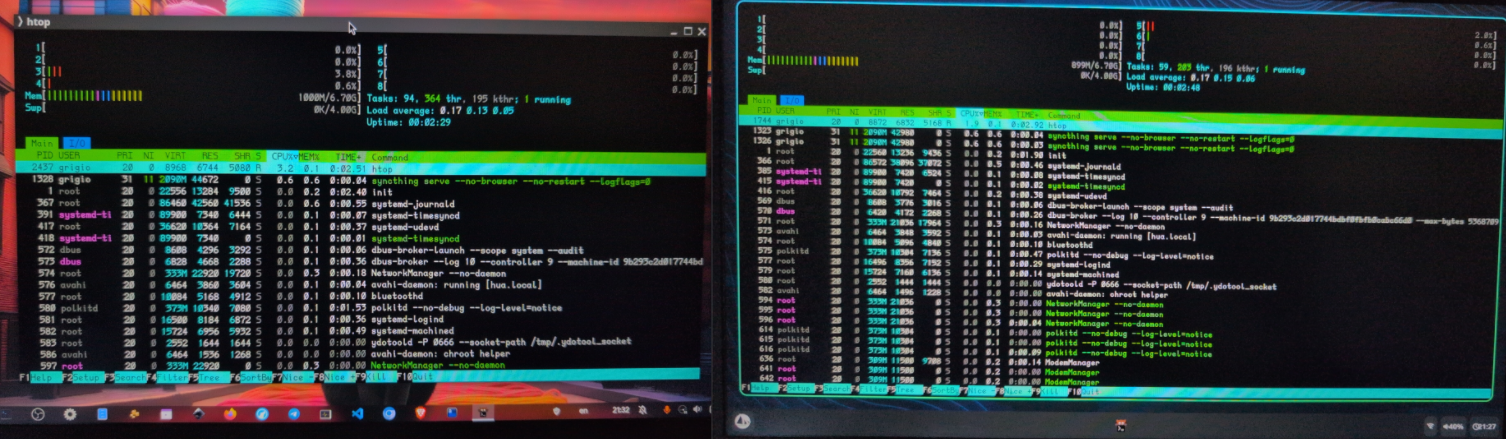
Hyprland, a dynamic tiling Wayland compositor, has recently attracted a lot of attention within the Linux community due to its eye-catching animations, extensive configurability, and modern Wayland-native features. However, despite its growing popularity, I find the enthusiasm somewhat puzzling, especially when considering practical aspects such as resource consumption and completeness as a desktop environment.
Resource Usage: Not So Lightweight
One common expectation of tiling window managers and compositors like Hyprland is resource efficiency. While Hyprland does aim to be performant and responsive, in practice its RAM usage does not seem significantly better than more full-fledged desktop environments such as GNOME or KDE when essential services are factored in.
For example, running GNOME along with a dock and OBS Studio consumes roughly 2GB of RAM. A comparable setup with Hyprland, Wofi (a launcher), and OBS Studio also approaches around 2GB of RAM usage. This indicates that Hyprland's memory footprint, when paired with the basic components to approximate a complete desktop experience (notifications, dock/panel, launcher), is roughly on par with GNOME or KDE rather than substantially lower.
Not a Full Desktop Environment Out of the Box
Another point to consider is that Hyprland alone is merely a compositor—it manages windows with dynamic tiling and floating layouts and provides a visually appealing experience. However, to achieve a fully functional desktop environment, users must manually add and configure additional services such as panels, notification daemons, launchers, and more35. This contrasts with GNOME or KDE, which come integrated with all necessary components for a seamless desktop experience, while also offering the option to operate in a tiling window manager mode if one desires.
GNOME and KDE Also Support Tiling
It’s worth noting that both GNOME and KDE can be turned into tiling environments themselves, allowing users to enjoy the benefits of tiling window management without losing the extensive desktop environment integration these platforms offer. This challenges the idea that Hyprland uniquely delivers a tiling experience superior to traditional desktops.
The Hype: Style Over Substance?
Hyprland’s hype largely centers on its visual polish—smooth animations, blur effects, rounded corners, and rapid configuration reloads. These features are appealing and do demonstrate what modern Wayland compositors can achieve aesthetically. However, from a practical standpoint, it does not yet deliver a lightweight or “complete” desktop experience on its own, and its RAM consumption matches that of heavier desktop environments once you complete the setup.
Conclusion
While Hyprland is a promising and visually stunning tiling Wayland compositor with many compelling features, the enthusiastic hype may overlook some practical realities:
- RAM usage: Comparable to GNOME or KDE when factoring in the services needed to run a full desktop.
- Completeness: Requires additional components to become a fully functional desktop environment.
- Alternatives: GNOME and KDE can also be configured to support tiling windows. And with Sway you have a minimal Tiling Window Manager (it takes 300Mb less RAM compared to Hyprland/GNOME)
For users who want a minimal, fully functional tiling environment, Hyprland may not currently represent a substantial advantage over existing options. Its appeal may be more aesthetic and experimental rather than a clear-cut improvement in efficiency or usability.